
Uptime Kuma is a simple monitoring tool for keeping an eye on services.
The project describes itself as a self-hosted monitoring tool, and it is available here: uptime.kuma.pet.
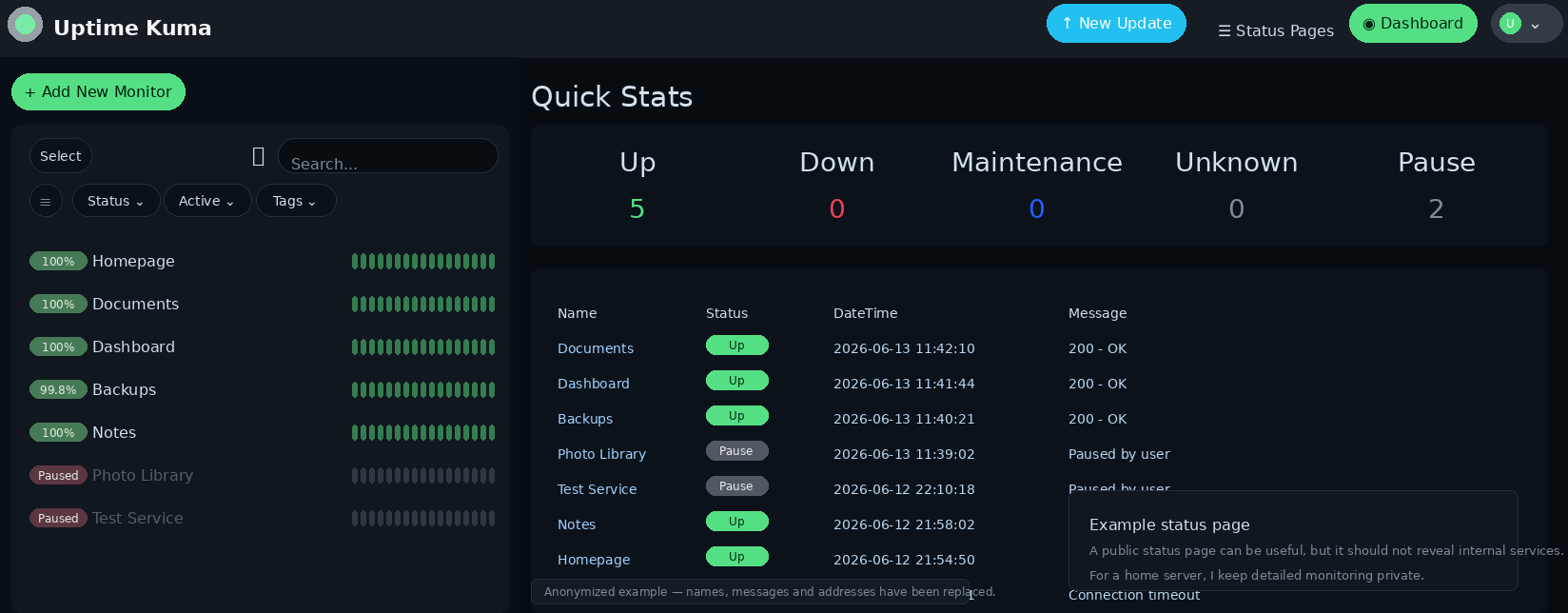
I use it on my home server to see whether selected services are running as expected.
It is not complicated, and that is what makes it useful.
What I use it for
- Checking whether important services respond.
- Keeping a small status overview.
- Noticing when something is down.
- Getting a simple history of uptime.
- Reducing the amount of guessing when something feels broken.
When a home server has more than a few tools running, it becomes useful to have one place that answers a very basic question: is this service up?
What works well
Uptime Kuma is easy to understand.
You add monitors for the services you care about, and it shows whether they are up, down or having problems. The interface is clear, and the status history makes it easy to see if something has been unstable.
That is enough for many small setups.
I also like that it fits nicely next to a dashboard. Glance gives me a front page for the tools I use. Uptime Kuma gives me a simple view of whether selected services are responding.
What I would keep simple
I would not monitor everything just because it is possible.
For me, Uptime Kuma is most useful when it tracks the services I would actually care about if they stopped working. Too many checks can make the overview noisy.
A small list of useful monitors is better than a large list that nobody looks at.
A few practical tips
- Start by monitoring the services you use most often.
- Use clear names so the status page is easy to read later.
- Group similar services if your setup starts to grow.
- Do not turn every small experiment into a permanent monitor.
- Keep the monitoring page private if it reveals internal structure.
What to be careful with
A monitoring dashboard can reveal more than expected.
Service names, status, categories and uptime history can give a lot of information about how a setup is structured. For a home server, I would treat that kind of overview as something for internal use, not as a public page.
It is also worth remembering that monitoring is not the same as a full health check. A service can respond and still have problems. But as a simple first signal, Uptime Kuma is very useful.
Verdict
Uptime Kuma is one of those tools that makes a home server feel calmer.
It does not fix problems by itself, but it helps show when something needs attention.
For small self-hosted setups, that is often enough to make it worth running.
This note is part of a small series about self-hosted tools I use on a home server.