
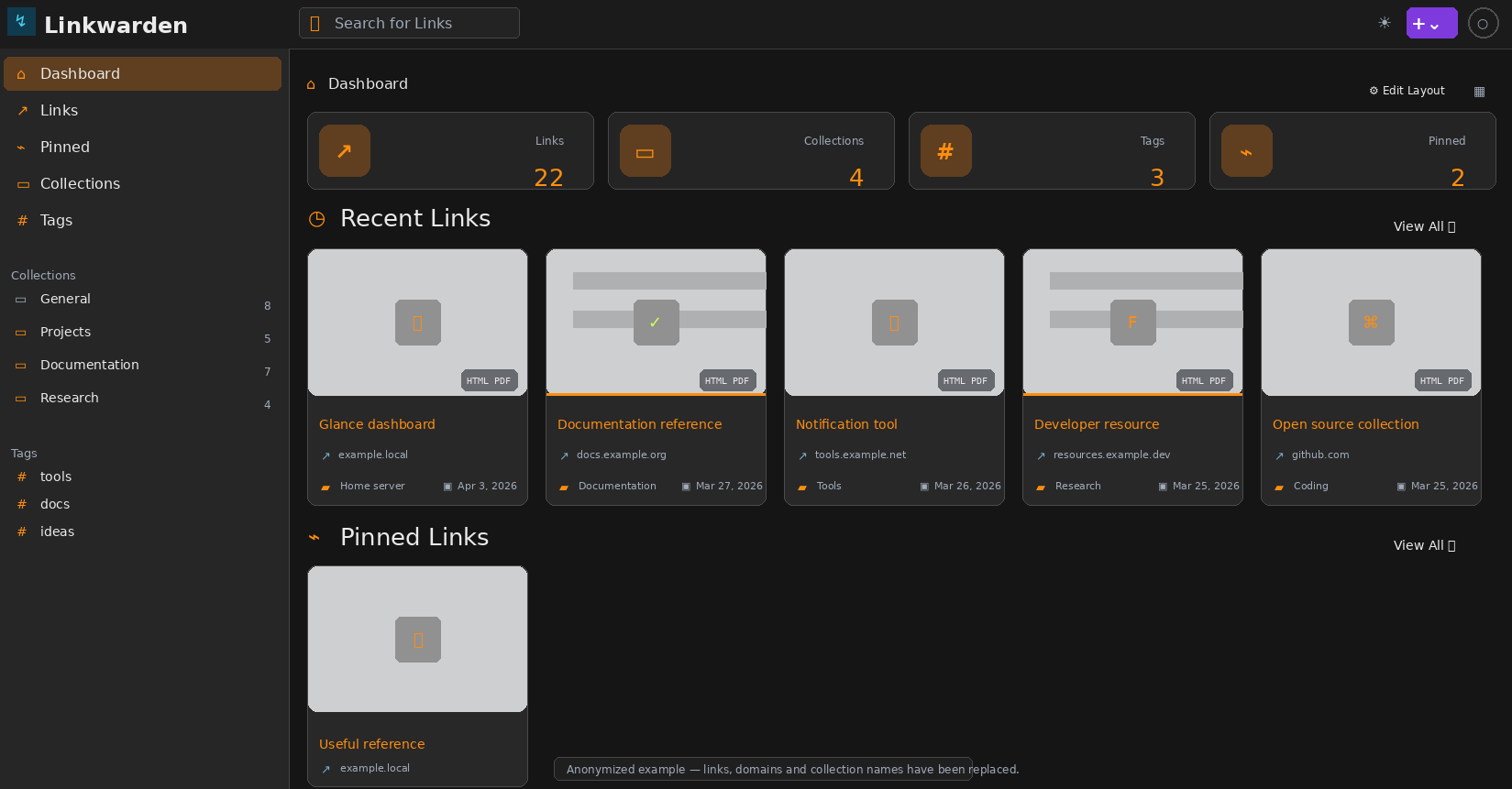
Linkwarden is a self-hosted bookmark manager for saving, organizing and revisiting links.
The project describes itself as a self-hosted, open-source collaborative bookmark manager, and it is available here: linkwarden.app.
I use it on my home server as a better place for links I may actually need again.
Browser bookmarks are fine for quick saving, but they can become a place where links go to disappear. Linkwarden feels more deliberate.
What I use it for
- Saving useful articles and references.
- Keeping links related to projects in one place.
- Collecting documentation I return to often.
- Organizing research without leaving everything in browser tabs.
- Reducing the number of links scattered across notes, chats and bookmarks.
The main value is not just saving links. It is making saved links easier to find and reuse later.
What works well
Linkwarden works well because it gives links more structure.
Collections and tags make it easier to group things by topic or project. Search makes it easier to find old references without remembering exactly where they were saved.
I also like that it can become a small knowledge layer. Not a full wiki, and not a note-taking system, but a useful place for the external references that support work, ideas and projects.
That makes it a good fit next to tools like a wiki or document archive.
What I would keep simple
I would not try to organize every link perfectly.
The best version is a small set of useful collections and tags that you actually remember to use.
For me, Linkwarden makes most sense when it is used for links with a reason: documentation, research, useful references, tools, project material or articles I know I may want to revisit.
It does not need to contain every interesting page I have ever opened.
A few practical tips
- Create collections around real use cases, not abstract categories.
- Use fewer tags than you think you need.
- Save links you expect to reuse, not everything that looks mildly interesting.
- Add short descriptions when the reason for saving a link is not obvious.
- Review old links sometimes and delete what is no longer useful.
What to be careful with
A bookmark archive can reveal interests, projects, research topics and internal work patterns.
That does not make it dangerous by default, but it is worth treating it as part of your personal knowledge system rather than a random list of links.
I would also avoid making the structure too heavy. If saving a link starts to feel like admin work, the tool will probably not be used consistently.
Verdict
Linkwarden is useful if you often save links and actually want to find them again.
It sits nicely between browser bookmarks and a full documentation system. For me, that makes it a good small tool on a home server.
This note is part of a small series about self-hosted tools I use on a home server.