
Glance is a small dashboard tool for self-hosted setups. It gives you one page for links, widgets, feeds and status information, instead of having everything spread across bookmarks and browser tabs.
The project is available on GitHub here: github.com/glanceapp/glance.
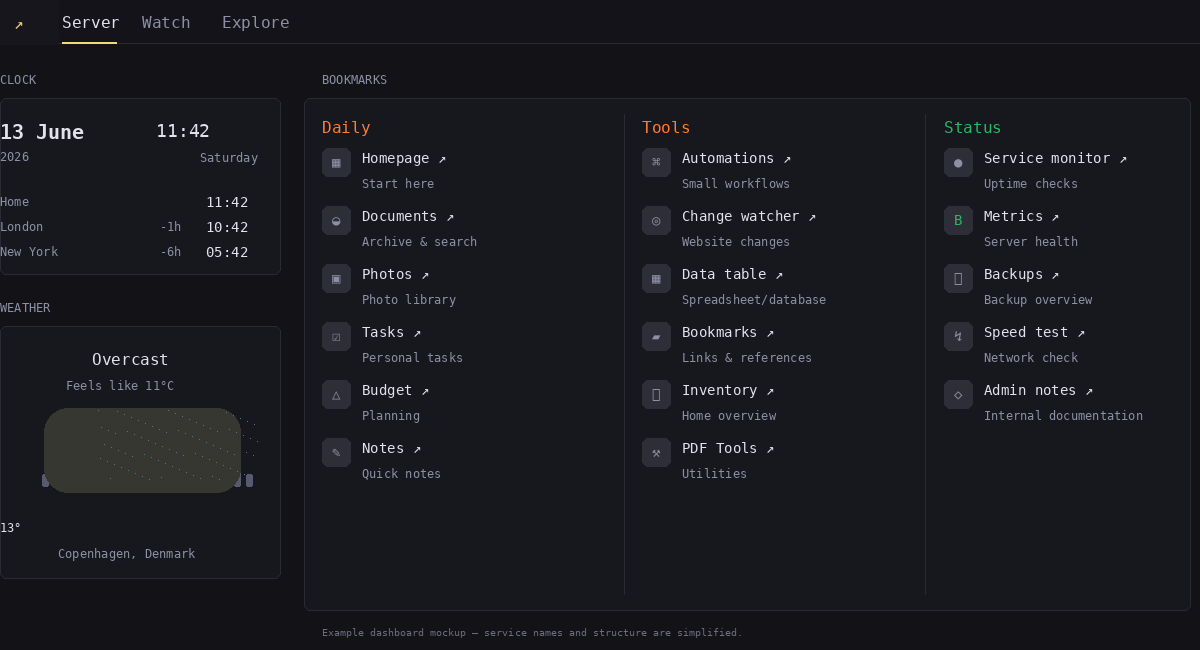
I use Glance as a front page for my home server. Not as an admin panel, and not as a complete map of everything. Just as a clean place to start.
That is the main reason I like it. It makes the server feel easier to use without adding much weight.
What it is good for
- Grouping services by purpose.
- Keeping useful links in one place.
- Showing simple status or health information.
- Adding small widgets like weather, time, feeds or quick references.
- Making a home server feel less scattered.
The best part is that Glance does not try to do too much. It is mostly an overview layer. The actual tools still do the real work.
What I would keep simple
I would avoid putting everything on the dashboard.
A dashboard is useful when it helps you find things faster. It becomes less useful when it turns into a wall of links, status blocks and widgets you never look at.
For me, the best setup is a few clear groups: daily tools, documents, notes, automation, monitoring and backups. Enough to make the server easy to navigate, but not so much that the dashboard needs constant cleaning.
A few practical tips
- Use simple labels that describe the purpose of each service.
- Group tools by how you use them, not by how they are installed.
- Keep admin and security-related links limited and intentional.
- Do not expose a dashboard publicly if it reveals internal structure.
- Remove links you do not actually use.
Verdict
Glance is a good fit if you run several small tools and want a calmer way to access them.
It is not the most important service on a home server, but it makes the rest of the setup easier to use.